Layered Image Visual Editor in Ren'Py
A downloadable asset pack
I know you just love adding all those sprite expressions to your layered images. Maybe you even separate the eyes, mouth, brows, etc. so you can mix-and-match so many combinations!
Okay but now how are you going to memorise all those attribute names? Isn't it a major waste of time to have to look at a cheat sheet then having to copy the combination back into the script?
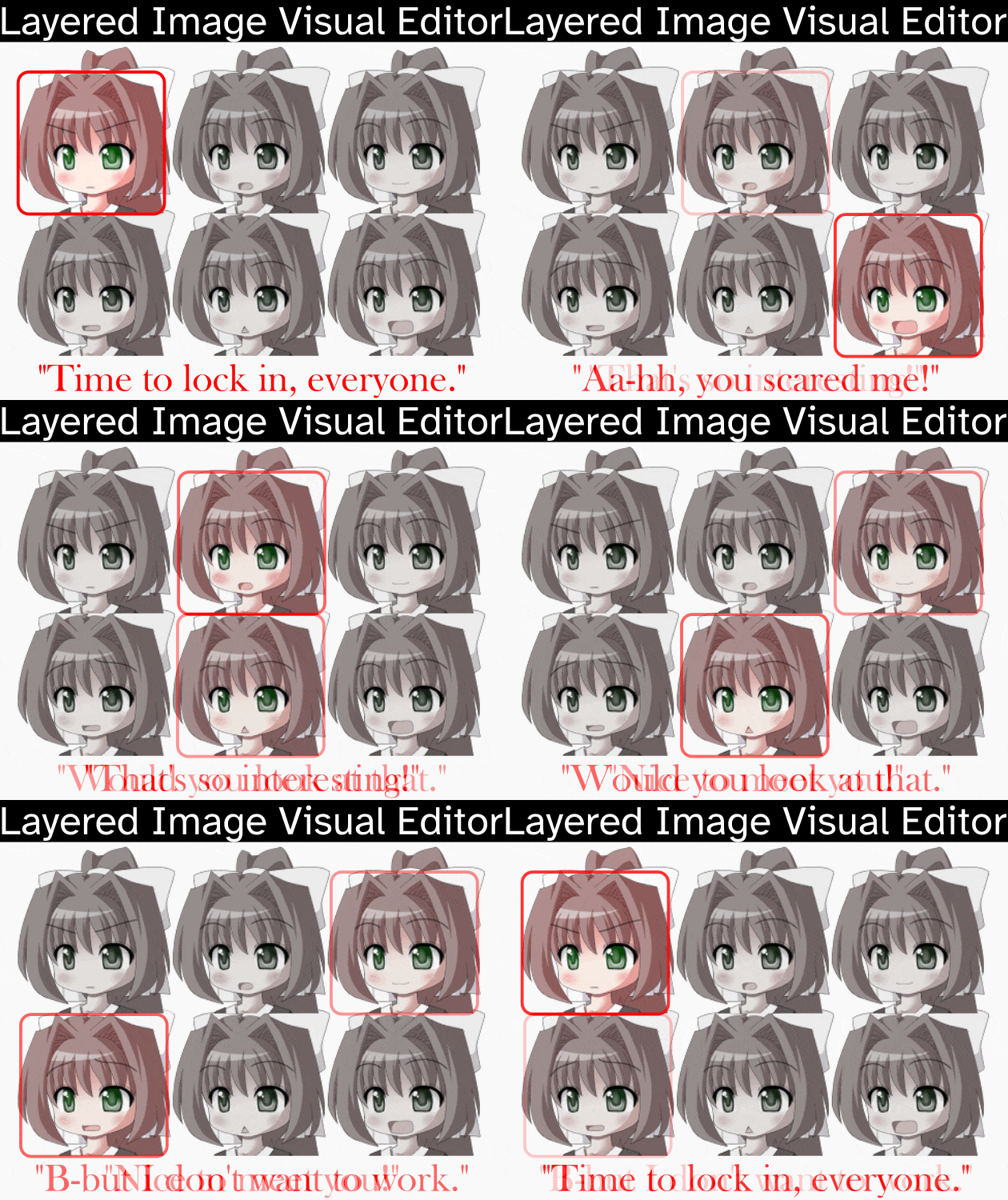
Just click buttons like you're playing one of those dress-up games!
(This is for development purposes only. You can't use this as-is to make an actual dress-up minigame.)
MIT License is included in the file, and must be kept in there. Credit back to this page is appreciated.
Rating this page 5 stars means more people will see it.
I recommend watching the video that shows the instructions.
How to install
- Put the file in your game folder
How to use
This version is integrated into the Interactive Director. This means you don't have to reload the script every expression change! It's instant.
- Start the game
- Press Shift+D to open the developer menu
- Press D or press "Interactive Director"
- If nothing changes then press Shift+R to turn on auto-reload.

The Interactive Editor is now open. Any layered image you edit from here will have the attributes nicely organised.
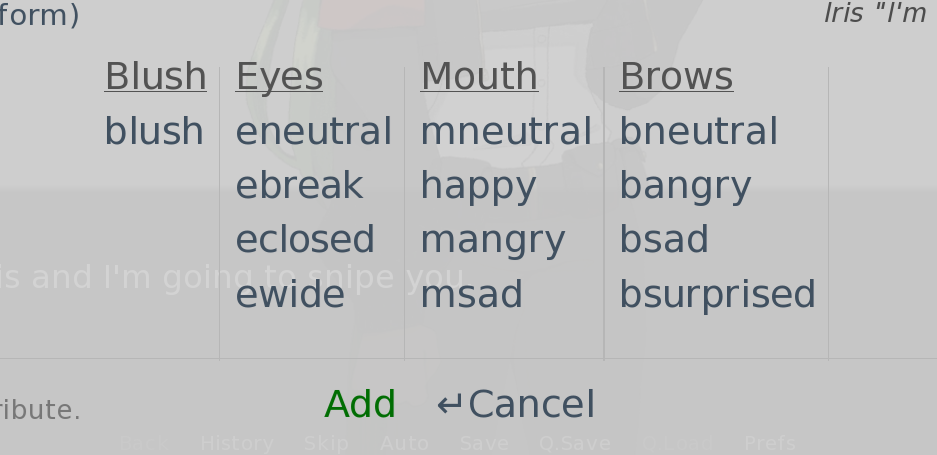
Additionally, if you tag your layered image to your characters, a very convenient button will appear that will skip to that speaker's sprite so you don't have to search through all your images.
define iris = Character("Iris", image="iris")

Compatibility
This tool simply overrides the Interactive Director screens. Most of it is still the same other than the rearranged menu for specifically layered images, and the shortcut button to skip to the current speaker's tagged sprite.
The output edits your actual rpy files so nothing will happen if you delete this tool (or reinstall it) other than the Interactive Director going back to the way it was.
Previous versions of this idea have been unlisted for archival reasons but please use this version (v3) because it is much faster.
If you have any questions that don't have a quick answer, please join the DevTalk Discord and ask in the Renpy channel.
Download
Click download now to get access to the following files:
Comments
Log in with itch.io to leave a comment.
Bug:
If LayeredImage is defined with spaces, the code doesn't trigger.
Suggested fix:
-> I uploaded all these changes to pastebin, if you prefer: https://pastebin.com/fBpRBPaR
After
Create:
    def get_registered_image():
        import itertools
        reg = state.tag and renpy.get_registered_image(state.tag)
        if state.tag and reg is None:
            for attr_choice in itertools.product(state.attributes):
                reg = renpy.get_registered_image(' '.join((state.tag,) + attr_choice))
                if reg is not None:
                    return reg
In:
Assign:
Replace both for with:
At:
Replace with:
if isinstance(director.get_registered_image(), LayeredImage):Thank you for the attention
Bug:
It's possible for state.tag to be None.
`if isinstance(renpy.get_registered_image(state.tag), LayeredImage):`
When that happens, it causes an exception inside renpy when calling renpy.get_registered_image()
File "renpy/python.py", line 1375, in py_eval_bytecode
return eval(bytecode, globals, locals)
~~~~^^^^^^^^^^^^^^^^^^^^^^^^^^^
File "game/layeredimage-visual-editor-v3/01cute_layeredimage_editor.rpy", line 86, in <module>
if isinstance(renpy.get_registered_image(state.tag), LayeredImage):
~~~~~~~~~~~~~~~~~~~~~~~~~~^^^^^^^^^^^
File "renpy/display/image.py", line 310, in get_registered_image
name = tuple(name.split())
^^^^^^^^^^
AttributeError: 'NoneType' object has no attribute 'split'
Reproduction steps: